
Embedded FlowManual Bank LinkingCredit Card Linking

Company

About Us

Careers

Our Brand

Products

Card Processing

ACH Payments

Stronghold Direct

Checkout

Rewards

Real Time Payments

Virtual Payment Networks

Developers

Developer APIs

Tutorials

Resources

Case Studies

Learn

Support Center

Contact us

PayLink

Order Documents

Name

Size

Link

Name: dummy.pdf
Email:13.00 KB
Download

Select a payment method

In order to complete a payment, you must securely link a payment method.
Deposits still need to be verified.
Thank you! Your submission has been received!
Oops! Something went wrong while submitting the form.
Complete manual account linking
Link a payment method

Add a tip

Order completed by

Choose a suggested tip amount or add a custom amount:

$1.00
$3.00
$5.00
Thank you! Your submission has been received!
Oops! Something went wrong while submitting the form.
Subtotal
$1.12
Total
$1.12
Pay $1.12
You need to select an account to complete your payment.

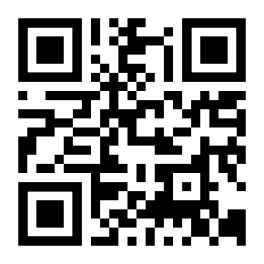
The paylink was created successfully. You can send this QR code to your customer:  
https://staging-sandbox.strongholdpay.com/I/IQztMDOE
Select a payment method.

Please select your preferred payment method below:

Thank you! Your submission has been received!
You must choose a payment option to continue.

The paylink was created successfully. You can send this QR code to your customer:  
https://staging-sandbox.strongholdpay.com/I/IQztMDOE

Great! You've chosen to link a bank account.

Please choose how you'd like to authorize your payment details:

Thank you! Your submission has been received!
You must choose a payment option to continue.
Back

The paylink was created successfully. You can send this QR code to your customer:  
https://staging-sandbox.strongholdpay.com/I/IQztMDOE

You've chosen to link your account manually.

Again, please note: this may take 2-3 business days. Below are the steps to manually link your account:

1
You will provide your account info
2
You will receive two small deposits
3
You will verify your deposit amounts
Proceed to add account info
By proceeding to the next step you agree to the
Stronghold End User Agreement
Back

The paylink was created successfully. You can send this QR code to your customer:  
https://staging-sandbox.strongholdpay.com/I/IQztMDOE

1

First, we need your account details.

Please provide your account details below:

Thank you! Your submission has been received!
Oops! Something went wrong while submitting the form.
Add account details
Back

The paylink was created successfully. You can send this QR code to your customer:  
https://staging-sandbox.strongholdpay.com/I/IQztMDOE

Thank you! You have completed step 1.

Your account has been submitted for verification.

The next two steps below can be completed over the next 2-3 business days.

2
Check your account in 2-3 days for two small deposits, under $0.99.
3
Once deposits are received, please verify the amounts.
I understand next steps

The paylink was created successfully. You can send this QR code to your customer:  
https://staging-sandbox.strongholdpay.com/I/IQztMDOE

Great! You've chosen to link a bank account.

Please choose how you'd like to authorize your payment details:

Thank you! Your submission has been received!
You must choose a payment option to continue.
Back

The paylink was created successfully. You can send this QR code to your customer:  
https://staging-sandbox.strongholdpay.com/I/IQztMDOE

You've chosen to link your account manually.

Again, please note: this may take 2-3 business days. Below are the steps to manually link your account:

1
You will provide your account info
2
You will receive two small deposits
3
You will verify your deposit amounts
Proceed to add account info
By proceeding to the next step you agree to the
Stronghold End User Agreement
Back

The paylink was created successfully. You can send this QR code to your customer:  
https://staging-sandbox.strongholdpay.com/I/IQztMDOE

1

Your account info.

To get the process started of linking your account manually please provide your account details below:

Thank you! Your submission has been received!
Oops! Something went wrong while submitting the form.
Add account details
Back

The paylink was created successfully. You can send this QR code to your customer:  
https://staging-sandbox.strongholdpay.com/I/IQztMDOE

Thank you! Now sit back, relax, and wait.

Your account has been submitted for verification.

The next two steps below will be completed over the next few days.
2
You will receive two small deposits, under $0.99, in your account.
3
Once deposits are received, you will verify the amounts.
I understand next steps

The paylink was created successfully. You can send this QR code to your customer:  
https://staging-sandbox.strongholdpay.com/I/IQztMDOE

2

Complete manual bank account linking

Check your bank account for two small deposits, under $0.99.
I have both deposit amounts
Not seeing deposits in your account after 3 business days since submission? Contact Support

The paylink was created successfully. You can send this QR code to your customer:  
https://staging-sandbox.strongholdpay.com/I/IQztMDOE

3

Verify deposits

Verify the two deposit amounts below:
Thank you! Your submission has been received!
Oops! Something went wrong while submitting the form.
Verify deposits
Back

All done!

Your account ending in 0000 has been verified for payment.
Proceed
